
HOME / PLY · SETUP & PLAYSPACE / LOG 2026-10-11
Tuning the room scan for Sozo: how furniture decides paths, build hexes and chokepoints
Space Setup with a floor-based strategy game in mind: how Sozo reads your scan and which scan checklist gives you better paths and build spots.
- Raumscan
- stehend
- Mixed Reality
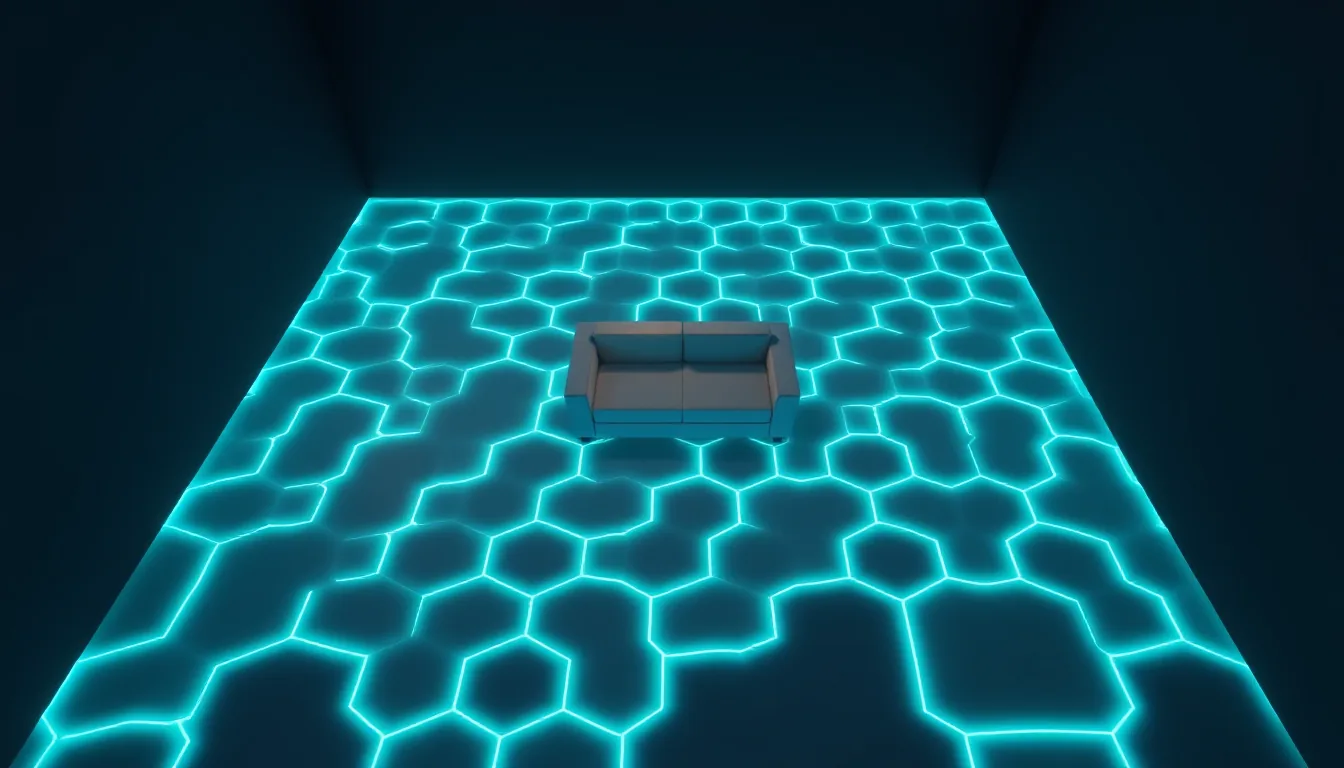
Most of us treat the room scan on Quest as a box-ticking chore: wave the headset around the flat once, tick, done. For a game where you mostly dodge or shoot, that’s fine. For Sozo – Tower Defense, it isn’t. Here the scan isn’t just a safety map, it’s the game board itself. The path the monsters march along, the tiles you build towers on and the wall the rift breaks out of: all of it is read from what your headset knows about your room.
This guide explains how Sozo handles your scan, according to the studio’s game instructions, and gives you a checklist for scanning specifically for a floor-based strategy game. All the figures come from those instructions and describe the current state of play; updates may change them.
What Sozo reads from your scan
Sozo uses the room scan from Meta’s Space Setup. From that, the game builds an arena at the start of every level:
- Walls: this is where the floor rifts open, the ones ground enemies come out of, and from level 3 the tall flyer hole.
- Floor: your entire free floor is treated as an invisible hex grid with cells of roughly 10 cm.
- Furniture: scanned furniture is an obstacle for the path. The path is routed around it in curves and switchbacks.
- Build spots: you only build on the floor, never on tables or other furniture.
Important for everything that follows: according to the instructions, the highest-rated cells are chosen as build spots first, namely chokepoints, the inside of curves and cells between two lanes. On top of that come a few scattered tiles further away. Which means: where your scan knows about furniture, curves appear, and where there are curves, the best build spots appear.
Why furniture volume matters more than furniture count
A scan doesn’t know furniture as a “sofa” in the living-room sense, but as a volume on the floor. So for Sozo, what counts above all is how much floor area an object blocks and where it stands.
- Big blocks against the wall (sideboard, bookcase) mainly shrink the free wall length. That affects where a rift can fit.
- Freestanding furniture in the room (armchair, coffee table, pouffe) creates real obstacles in the middle of the floor. The path has to go around them, and that’s exactly where chokepoints appear.
- Small objects the scan doesn’t pick up at all don’t exist as far as the game is concerned. A laundry basket that isn’t in the scan sits in the middle of the path in-game, with the game none the wiser.
The last point is the most important one for safety: what isn’t in the scan, the game can’t see. In mixed reality you’ll see it through passthrough, but the arena doesn’t account for it.
The scan checklist for Sozo
- Clear the floor before you scan. Anything that’s only there temporarily (bags, shoes, cables, toys) goes. Otherwise it either gets picked up as furniture and skews the path, or it doesn’t get picked up and becomes a trip hazard.
- Lights on. Even room lighting helps the headset detect edges. No direct sun on the lenses.
- Start Space Setup. On current Quest versions you’ll find it under Settings → Physical Space → Space Setup. Alternatively, RESCAN in Sozo’s room selection launches Meta’s Space Setup directly.
- Walk the whole floor. Look deliberately downwards while scanning, especially in corners and under furniture edges. An area classed as “no usable floor” can’t be used by the game. Without usable floor, Sozo only offers a dummy room.
- Capture walls in full. According to the instructions, a rift needs a wall at least 1 m long with free floor in front of it.
- Mark doors, windows and wall art, if Space Setup offers it. Sozo avoids these surfaces when placing rifts.
- Check the furniture that was captured as volume. If a large piece is missing, add it. A missing sofa means the path can run straight through it.
- Check the room selection in Sozo. The panel shows a mini map, the area as AREA in m² and the ceiling height as HEIGHT in m. If the area roughly matches your room, the scan was usable.
Measurements worth knowing
A few figures from the instructions help you size up your room realistically:
| Element | Value per the instructions |
|---|---|
| Hex cell | roughly 10 cm |
| Tower | roughly 7 cm wide |
| Tower ranges | mostly 30–60 cm |
| Minimum rift wall length | 1 m, with free floor in front of it |
| Distance from crystal to each rift | at least 1 m |
| Path length | 5 m in the first three levels, growing to 10 m from global level 30 |
| Flyer hole | roughly 1.5 m above the floor |
That gives you a simple rule of thumb: because towers are small and ranges sit in the half-metre region, Sozo plays out across an area you can reach with one step or an arm’s length. A 10 m path still fits in a normal living room, because it winds back and forth.
Creating chokepoints on purpose
If you have a choice about where a freestanding piece of furniture sits before the scan, think about the build-spot logic. An armchair with a bit of space behind it creates a chokepoint between chair and wall. According to the instructions, chokepoints and the inside of curves are preferred as build spots. A tower in a spot like that often covers two stretches of path at once.
A few things to bear in mind:
- Leave a gap. There needs to be enough free floor between furniture and wall for the path to fit through at all. With 10 cm cells, fairly narrow lanes are enough, but you also need to be able to point and tap hexes there yourself.
- Don’t overdo it. A cluttered room has little free floor. That means fewer build spots. According to the instructions, the number of guaranteed free tiles (8 to 12) depends on the floor area.
- Moving furniture means a new scan. Sozo only knows what’s in the current scan. Rearrange without rescanning and you’re playing in an arena that no longer matches the real room.
Depth occlusion: furniture as cover
On the headset, real furniture can obscure game objects, per the instructions. This depth occlusion comes from Meta and can’t be switched off in Sozo. For your scan that means: a tall armchair between you and a stretch of path can genuinely hide enemies. That’s great for immersion, but it can be annoying during tight waves.
Our tip: position yourself so you can see over low furniture, and plan your playing position so tall furniture sits behind the path rather than between you and it. Since the layout doesn’t depend on where you stand, according to the instructions, you’re free to pick your position in the level and even change it mid-level.
Comfort when building on the floor
Sozo is a floor-based strategy game. You point downwards a lot, tap hexes and look at small towers. That puts different strain on your neck and lower back than a shooter.
- Point rather than bend. With controllers you aim at the floor with a beam. With hand tracking you can select with a pinch, without bending down. Tapping directly with a fingertip is an option, not a requirement.
- Use half speed. The x1 setting runs the game at half speed. Less frantic means fewer jerky head movements.
- Plan breaks. Waves run without interruption. The only pause is one you trigger yourself, for example via the menu button.
- Leave the guardian on. Even if you can see your room through passthrough: the boundary stays on.
When the scan doesn’t work
According to the instructions, the room selection gives specific reasons when no room is found, such as “Scene permission denied” or “The scanned room has no usable floor”. If permission is missing, you need to allow the game access to room data. If floor is missing, a fresh scan with more looking downwards is worth it. And if your room is simply too awkwardly shaped, there’s VR mode: it uses a fixed, furniture-free play area of 3.4 × 3.8 m in front of you, regardless of your floor plan.
Scaler’s take: In Sozo the room scan isn’t an annoying preamble, it’s your map design. Clear the floor, capture furniture fully, leave sensible lanes between furniture and walls. Then you get curves, chokepoints and build spots that feel like strategy rather than chance. Ten minutes of careful scanning pays off across 160 levels.
Linked logs
-
PLY
6 MIN
Where the rift tears open: understanding wall selection in Sozo and shaping it with your scan
Which wall Sozo picks for the rift, why doors and windows are off limits, and how a cleanly marked scan gives you better arenas.
- Wandscan
- stehend
- Mixed Reality
-
PLY
6 MIN
Up to four rooms, four maps: making proper use of multiple scanned rooms in Sozo
Sozo's room selection supports up to four rooms, each with its own fixed layouts. Here's how to split long paths, boss levels and short evenings between them.
- Mehrere Räume
- stehend
- Mixed Reality
-
PLY
6 MIN
Tile Painting with a System: Tank Avenger's Recon Screen Step by Step
Hold the trigger, place your strokes properly, understand red tiles, read the status line: this is how you paint a clean battlefield in Tank Avenger.
- 25-cm-Kacheln
- eine zusammenhängende Fläche
- stehend
- Mixed Reality
-
CMF
6 MIN
The post-room-scale cool-down: our 15-minute protocol from headset to bed
Headset off, sit down, drink, dim the lights, then ten minutes lying down: a fixed 15-minute protocol for the evening after a lively VR session.
- Nach der Session
- sitzend
- liegend