
HOME / PLY · SETUP & PLAYSPACE / LOG 2026-10-11
The pit lane next to the playspace: a break corner with charging dock, chair and phone tray
A setup guide for the area just outside the boundary: charging dock, chair, trays and cable routes that never intrude into the play area.
- Randzone
- 1 × 1 m
- außerhalb der Boundary
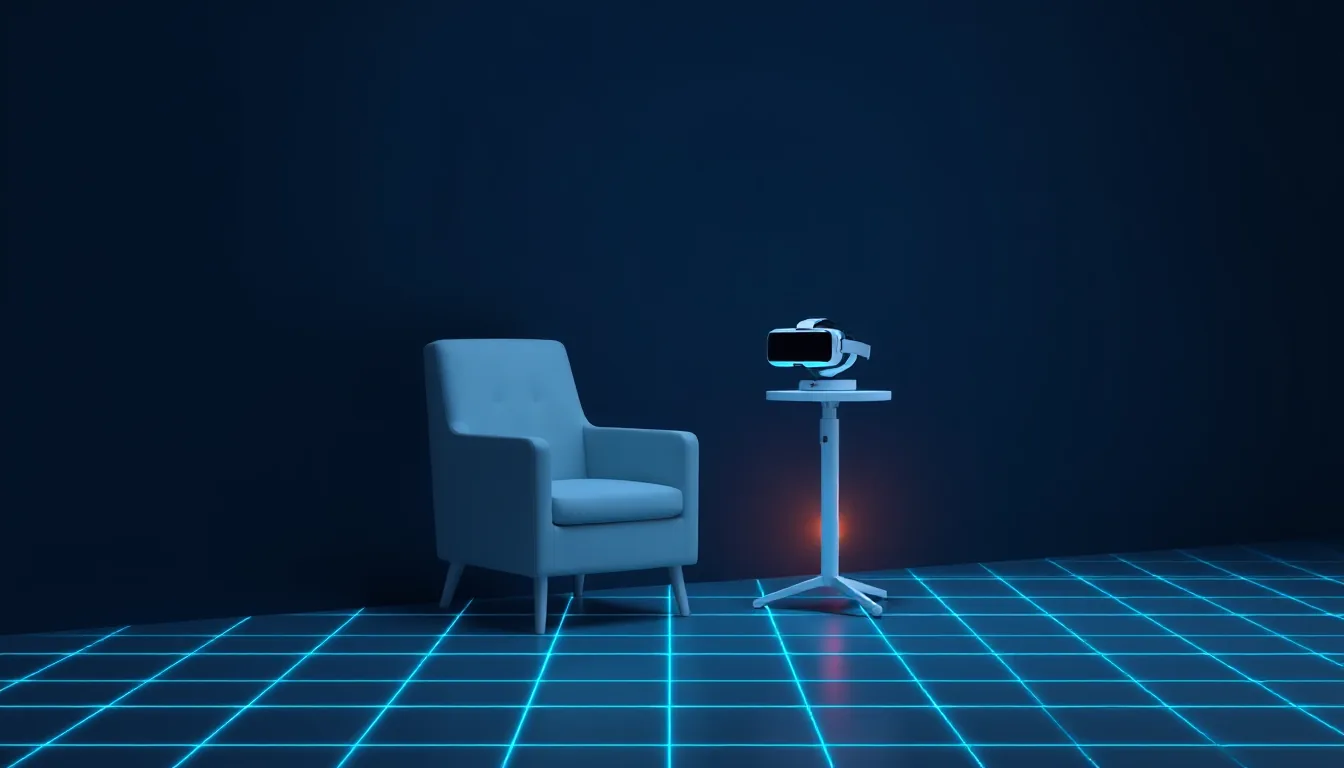
In Formula 1 you don’t win races on the track alone, but in the pit lane too. Much the same goes for room-scale VR. We spend plenty of time optimising the playspace: rug, lighting, boundary, cables. The area right next to it, where the headset charges, the controllers sit and we take a breather, rarely gets any attention. Everyone knows the result: a charging cable across the floor, a controller on the sofa, the phone somewhere among the cushions.
This guide is about the pit lane: a fixed break corner outside the boundary, cleanly separated from the play area yet close enough that you actually use it.
The basic principle: everything outside, nothing in between
The most important rule first: the break corner sits entirely outside the boundary, and nothing from it intrudes into the play area. No chair leg, no cable, no tray. Meta recommends a clear area of at least 2 × 2 metres for room-scale games. If you play in a small British flat, you often have exactly that much space and not a lot more. All the more important, then, that the break corner doesn’t quietly claw back a few centimetres of it.
A second principle: the boundary isn’t adapted to the break corner, the break corner is adapted to the boundary. Set up the corner first and then draw the boundary around it, and you lose play space.
Setup checklist
- Set the boundary first. Set up the play area the way you need it, and allow at least 30 to 50 centimetres of safety clearance from walls and furniture.
- Mark out the corner outside it. An area of roughly 1 × 1 metre next to the play area is enough. Best against a wall or in a corner, not in the middle of the room.
- Check the socket. The corner should be close to a power socket so no extension lead runs across the room.
- Place the charging dock or cable. On a raised surface, such as a small side table or shelf, not on the floor.
- Put the chair in place. With its back to the play area or at an angle to it, so you don’t step straight into the boundary when you get up.
- Decide on a tray for controllers and phone. A bowl or a fixed compartment that always stays in the same spot.
- Check the cable routes. Every cable runs along the wall or behind furniture, never across the open floor.
- Check the light source. No direct sunlight on the stowed headset, morning or afternoon.
The charging dock
There are various charging options for the Quest: the supplied USB-C cable, official charging docks and solutions from accessory makers. Which one you use is a matter of taste. For the break corner, the model matters less than the position.
- Place it raised. A dock at hip or table height is more convenient and safer than one on the floor. You don’t have to bend down with the headset in your hand, and nobody treads on it.
- Protect the lenses. When charging, stow the headset so the lenses don’t face the window. Sunlight falling through the lenses can damage the displays. If you don’t have a dock with a cover, lay a microfibre cloth over the lenses.
- Prefer short cables. A cable that’s two metres long will find its way into the play area eventually. A short cable stays where it is.
- Think about controller batteries. If you use controllers with rechargeable batteries or a dock, you keep them here in the same place.
The chair
A chair in the break corner sounds trivial, but it’s the heart of the setup. If you don’t have a fixed seat after a round, you sit on the sofa, and from the sofa the way back into the headset is longer than you’d think.
A few criteria:
- Sturdy, no castors. An office chair with castors wanders. A stool or a kitchen chair stays put.
- No armrests if space is tight. Armrests often jut further into the room than you expect when you set them up.
- Push it back against the wall. After the break, push the chair against the wall so it doesn’t slide into the play area.
The tray for controllers and phone
Controllers left lying around are a trip hazard and a puzzle when you’re looking for them. A fixed tray solves both. A shallow bowl, a wall mount or a compartment in the shelf is enough. What matters is that it’s always the same spot.
The phone gets its place right next to it. There’s a practical reason: during the break, the phone is what we occupy ourselves with. And there’s a safety reason: a phone in your trouser pocket tends to fall out while playing and lands exactly where you’re about to step next.
What happens in the pit lane
The break corner is where the headset charges and we sit. What we do there depends on the evening. We like an activity that’s clearly bounded and doesn’t need the power the headset is currently drawing itself. One example is LingFit, a language-learning app for iPhone, iPad and Android, which has two formats that fit into a pit-stop’s length.
An offline chapter. In LingFit you can download chapters and work through them without a connection; progress syncs as soon as you’re back online. If you play in a corner where the Wi-Fi is patchy, you’ve still got something to do. A chapter consists of several lessons, and a lesson is a compact unit that fits into a break.
Three videos in the feed. The video feed shows real YouTube videos in the target language, sorted by level, with subtitles whose words you can tap. Tap a word and the video pauses, a translation appears, and you can save the word. Three videos are a natural limit: you know when you’re done. The feed does need a connection, though.
Both work without leaving the chair, and both end before the headset is fully charged. More about the course and the available language directions is at lingfit.app.
Typical mistakes
- Dragging the charging cable across the floor. The most common trip hazard in flats. Always route cables along the wall.
- Building the break corner into the boundary. If you include the corner when setting up the boundary, you only notice when the controller hits the chair.
- Putting the headset on the chair. Someone is guaranteed to sit on it there eventually.
- Drinks on the same tray as the headset. Water belongs in the corner, but not next to the lenses.
Comfort tips
- A towel within reach. For your forehead and face pad after a sweaty round.
- Dimmed light. If you switch between headset and room, you’ll appreciate a lamp that doesn’t glare.
- Air the room during the break. A window tilted open does the room and the player good, as long as no sun falls on the headset.
Scaler’s take: The pit lane is the most underrated part of any playspace. A raised charging dock, a fixed chair without castors, a tray for controllers and phone, and cables that never cross the play area cost little space and make every evening safer. The break itself then gets a place of its own, and with an offline chapter or three videos, a clear beginning and a clear end too.
Linked logs
-
MXR
6 MIN
Room labels as a vocabulary list: building your own pack from the Quest's scene labels
During Space Setup the Quest names the table, sofa, window and door. Those very words become the word list for your own LingFit pack.
- Ganzer Raum
- Space Setup
- Mixed Reality
-
TEC
5 MIN
Lobby callouts: a vocab pack for European multiplayer sessions on the Quest
Left, right, behind you, cover: how to build a callout chapter in LingFit for German-, French- or Spanish-speaking lobbies.
- Room-Scale
- Multiplayer
- Sprachchat
-
CMF
7 MIN
Between two runs: the ten-minute break where the headset rests
Headset off, check the lenses, water, sit down, one short LingFit lesson: how the mid-session break becomes a fixed, clearly bounded block.
- Pause
- sitzend
- außerhalb der Boundary
-
PLY
6 MIN
Where the rift tears open: understanding wall selection in Sozo and shaping it with your scan
Which wall Sozo picks for the rift, why doors and windows are off limits, and how a cleanly marked scan gives you better arenas.
- Wandscan
- stehend
- Mixed Reality